 Cruz
Cruz01
Install Cruz
Add the iPhone app and the Mac companion.
Remote control for your coding agents
See what your agents are doing on your Macs. Answer a question, review a command, or send the next instruction from your phone.
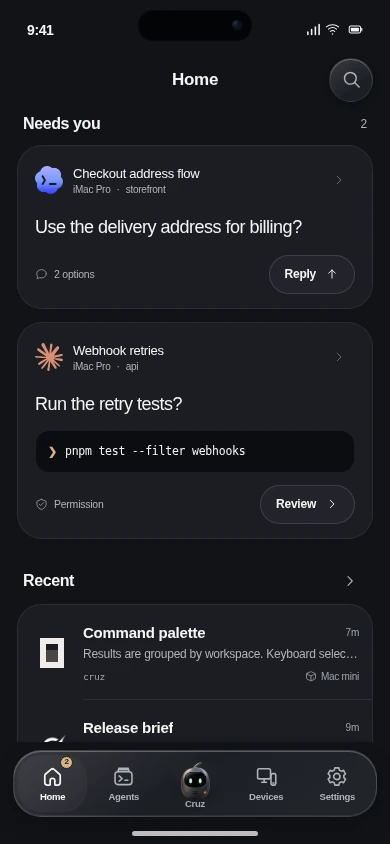
Interactive preview with example content. Available connections and controls depend on the offered release. Grok is unsupported; OpenCode requires separate qualification. View connections.
For the agents
you already use
Keep the work moving
Give them the decision they need without returning to your desk.
Back at your desk
The compact Mac companion keeps agent requests beside the work you’re already doing.

How it works
CruzAdd the iPhone app and the Mac companion.
Pair your devices from the iPhone app.
 Codex
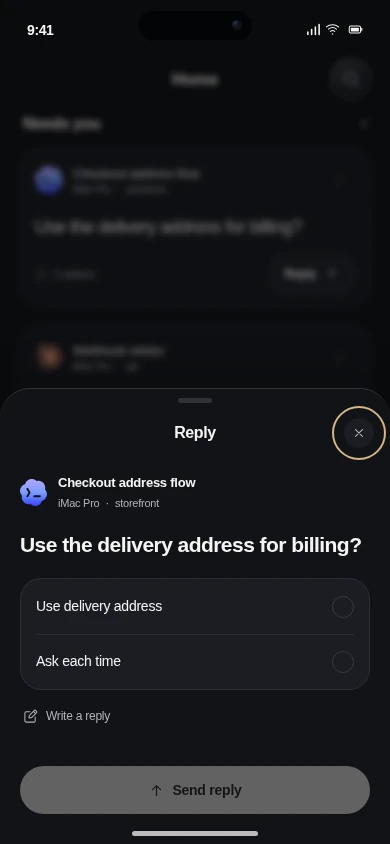
CodexRequire a billing address?
Open a conversation and send your next instruction.
Pricing
For your everyday agent work.
Your coding agents use your existing provider accounts and subscriptions.
Cruz is an iPhone app and Mac companion for controlling supported AI coding agents. Read their progress, answer questions, review commands, and send instructions to the Mac running the work.
Cruz gives you one place for supported work across different coding agents and Macs, with a shared mobile interface for conversations and requests. Provider-native remote apps remain useful within their own environments.
Yes. The Mac running the agent must stay awake and connected. Cruz sends your input to that Mac; it does not move the work into a cloud computer.
Yes, when your phone has a working connection to the paired Mac. That can be through your configured private network or a relay-enabled release. The source Mac still needs to stay online.
No additional model subscription is required for the basic remote-control workflow. Your agents continue to use their existing provider accounts. Optional Cruz AI features have separate allowances and processing settings.
Available controls depend on the agent and connection. Claude Code and Codex terminal routes, owned Codex Native sessions, and read-only histories have different capabilities. The connection guide explains those differences. View connections →
No. Choose or write your answer, then send it. Command requests have separate Allow once and Decline controls.